
AI image studio
Choose from the models available in the editor, with options and credit costs shown in the form.
Upload
or drag image here
No Beard Filter Before and After
See how the no beard filter removes facial hair while keeping skin texture, jawline, and identity realistic.


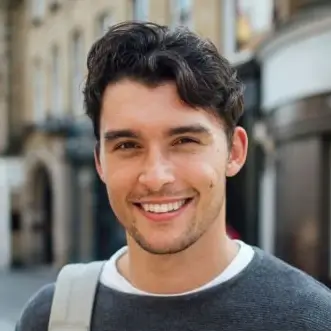
The beard is cleared from the jaw and mouth area while facial structure stays intact.
How to Use the No Beard Filter
Follow this simple portrait workflow to create a clean-shaven preview.
Upload a portrait
Start with a clear selfie or headshot where the beard area is visible.
Choose a preset
Click a preset to fill the prompt instantly, then refine it if you want more control.
Generate and download
Create the clean-shaven result, review it, and download the edited portrait.
Why This No Beard Filter Works
The page is built for realistic beard removal instead of black-box filtering.
Preset buttons fill the prompt instantly
Each preset works like a ready-made editing instruction that you can still customize.
URL mode is built in
You can test a remote portrait directly without downloading the image first.
Focused on skin and jawline preservation
The base prompt tries to keep pores, contour, and identity natural while removing facial hair.
User Feedback

“It feels better than a one-click beard filter because I can start with a preset and still refine the wording myself.”
“The page stays focused on beard removal, but the actual editor flow is much more practical than a black-box filter.”
Frequently Asked Questions
Start with a beard-removal preset
Choose a preset, generate a clean-shaven version, then keep refining the result in your own words.